
Manual budgeting app · United Kingdom

Budget manually without linking your bank.

Balance Wise is a UK money planning app for people who want to enter their own figures. Add your latest bank balance, planned income and commitments, then update the balance before or after spending so the forward-looking plan stays useful.

Download on the App StoreGBP planning · iPhone · free core features
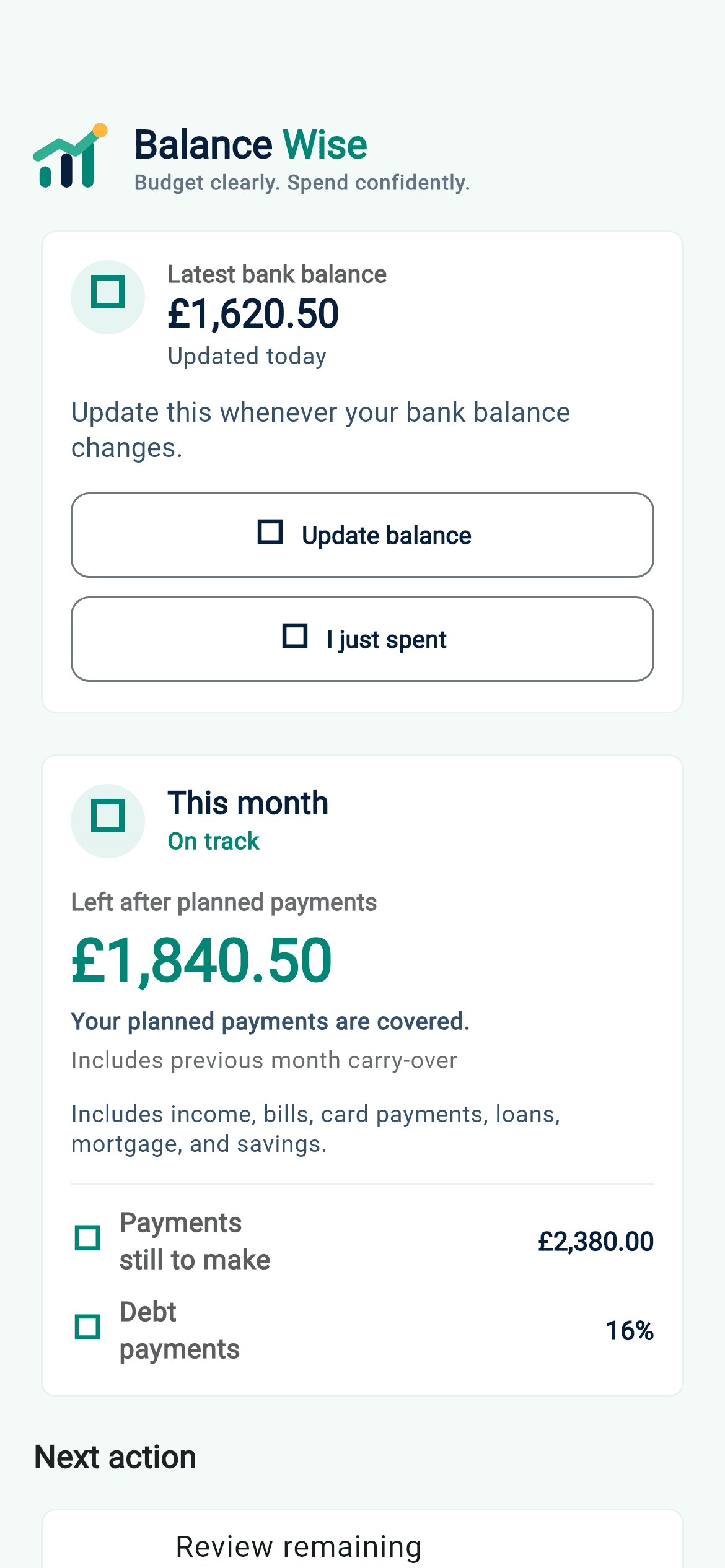
Balance Wise iPhone dashboard with fictional example figures and a manual bank balance update action

What is a manual budgeting app?

A manual budgeting app uses the amounts and dates you choose to enter rather than collecting transactions through a bank feed. In Balance Wise, those inputs can include a current balance, salary, bills, credit cards, loans, BNPL instalments, savings and mortgage commitments. The app calculates projections from that information and shows the assumptions behind them.

Manual does not mean every shop transaction must be categorised. The main habit is a quick balance check-in. When spending changes the money in your account, enter the new bank balance. Balance Wise combines that fresh starting point with payments still due, giving you an updated estimate of what may be left.

  1. Step 1

    Enter the figures you choose

    Start with a bank balance, then add expected income and the bills or commitments that should appear in the plan.

  2. Step 2

    Review what may be left

    See the balance path after planned payments, including the weeks or months where the estimate is at its lowest.

  3. Step 3

    Refresh after spending

    Update the latest balance before or after a purchase, then use the recalculated projection as your new planning view.

Why choose budgeting without a bank connection?

Some people prefer not to give a budgeting product access to bank data. Others manage cash, several balances or commitments that do not appear clearly in a transaction feed. Manual planning gives you control over the starting figures and lets you include future items before they happen.

Balance Wise never asks for a bank login, does not use Open Banking and does not automatically import transactions. You can use the core planner for free. Optional Premium features include cloud sync, Backup & Restore, Multiple Balances and reminders for upcoming payments, balance check-ins, shortfalls, BNPL deadlines and 0% card offer expiry dates.

What Balance Wise does—and does not do

  • Projects cashflow from the balance, dates and amounts you enter.
  • Lets you revise assumptions and compare a changed plan.
  • Keeps bank passwords and automatic transaction imports out of the workflow.
  • Provides planning estimates, not regulated financial or debt advice.
  • Does not promise that a projection will match every future transaction.

A simple routine for keeping a manual budget useful

Check the starting balance

Use the latest balance available in your banking app or account statement, but enter only the amount in Balance Wise. You do not need to share a password, account number or transaction history. Confirm that pending payments are represented in your plan before relying on the projection.

Review dates as well as totals

A monthly total can look comfortable even when several bills fall before income arrives. Check the order of planned items and the lowest projected balance. Adjust a date or amount when a provider changes it, rather than waiting for the next month.

Refresh after meaningful changes

Update the balance after spending, receiving income or noticing that the real account no longer matches the plan. A short daily check-in may suit frequent spending; a less frequent routine may work when the balance is stable. The important point is to recognise when the starting figure is stale.

Keep the plan manual, clear and forward-looking.

Download Balance Wise for iPhone and build a GBP cashflow plan from the figures you know. Then refresh your balance as real life changes.

Download on the App Store